Answering Apple's App Privacy questionnaire for umami-swift
Part 4 of 5 in the series Self-hosted Umami:
- Self-hosting Umami with Cloudflare, Fly, and Supabase
- Using self-hosted Umami for iOS app analytics
- Reporting app errors with self-hosted Umami
- Answering Apple's App Privacy questionnaire for umami-swift
- When your app name looks like a bot
Since umami-swift shipped, a few people have asked me the same thing: what do I tell Apple in the App Privacy questionnaire? The form is a wall of legal-sounding categories, and the tracking part makes it feel like one wrong checkbox gets the app rejected. With umami-swift 1.6 it comes down to just two data types, both in the friendliest column.
The questionnaire lives in App Store Connect, under your app, in the App Privacy section. It walks you through the questions: does the app collect data, which kinds, what for, is it tied to the user, is it used for tracking.
Here is what it looks like once umami-swift is answered for:
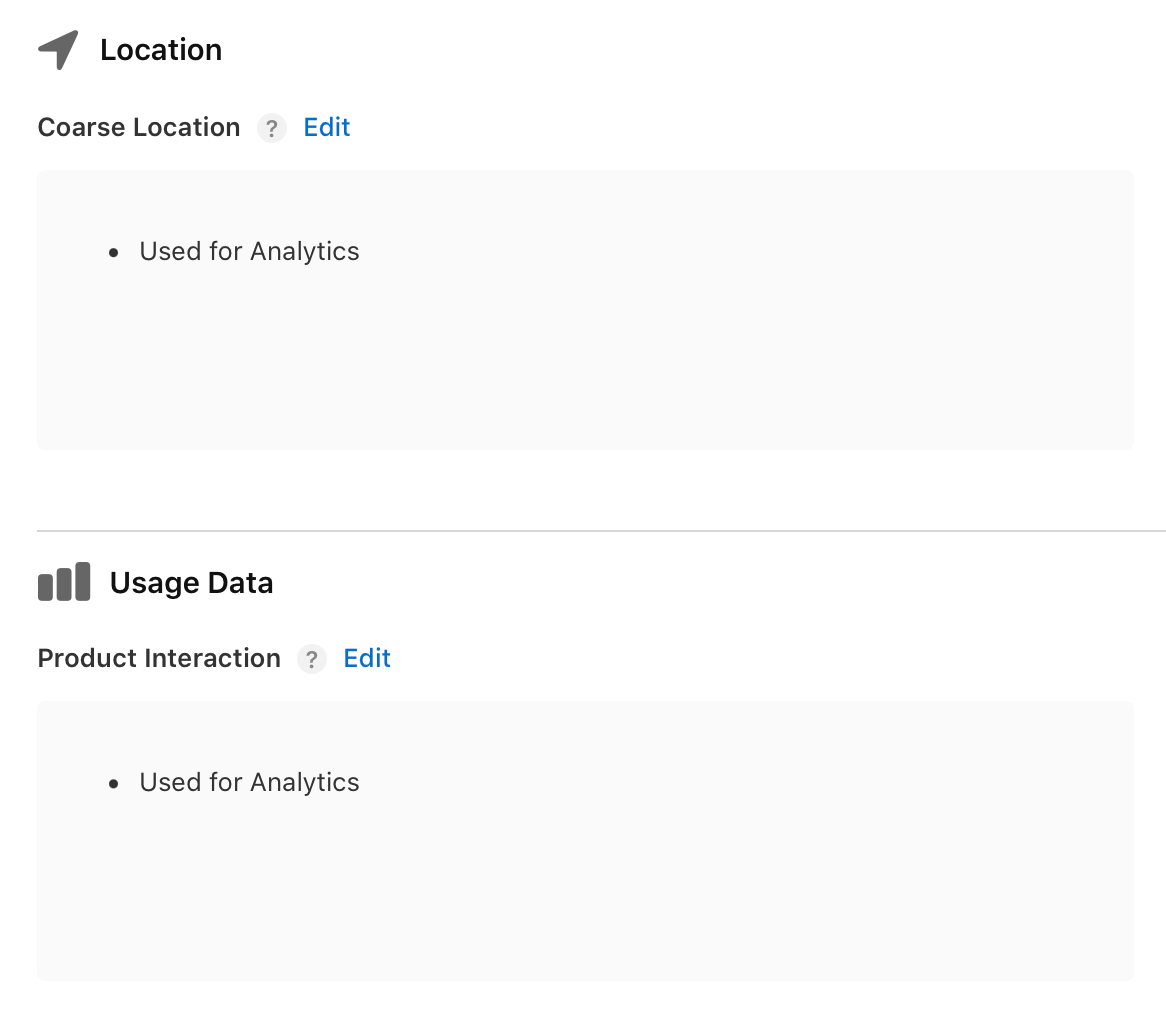
Two data types, both used for Analytics, and nothing else.
Yes, it collects data
We start with whether the app collects any data. It does. umami-swift sends analytics events to your Umami backend, and analytics counts as collection in Apple’s book. Saying No to keep the label empty would be wrong, and the two entries below cost you nothing.
Usage Data, because that is the whole point
The first data type is Usage Data, and inside it, Product Interaction. Apple describes that as app launches, taps, and how the user moves through the app. That is exactly what umami-swift sends: a launch event, the screens the user opens, and counts for whatever custom events you track. Used for Analytics, because that is what they are for. This is the box you expected to check.
Location, the one that surprises people
Location is the box that puzzles many. The app never asks for it. No CoreLocation, no permission prompt, no blue arrow in the status bar. So why is it checked?
Because the questionnaire covers data the app collects wherever the collecting happens, and Umami derives a coarse, country-level location from the IP address of each request, on the server. The raw address is thrown away, the country is kept. Apple calls a location that resolves only to a country or city Coarse Location, and a country lookup is exactly that. The box is correct even though your Swift code never reads a coordinate. Used for Analytics, same as the other one.
What you do not check
What stays empty matters too. There is no Identifiers entry. umami-swift’s visitor id is a random UUID that lives only in memory, rotates when the day changes, and is never written to the device. It identifies nothing beyond the session it lives in, so it is not a Device ID or a User ID in Apple’s sense.
Both data types also get two follow-up questions. Is the data linked to the user’s identity? No, nothing on the device ties two sessions together. Is it used for tracking? No, there is no IDFA, no App Tracking Transparency prompt, and nothing is shared with a data broker or matched against other companies’ apps. That last one is the question people worry about, and the answer is a clean No.
Not that scary, and the questionnaire is done quickly if the rest of your app is as privacy conscious as this analytics library.
Part 4 of 5 in the series Self-hosted Umami:
- Self-hosting Umami with Cloudflare, Fly, and Supabase
- Using self-hosted Umami for iOS app analytics
- Reporting app errors with self-hosted Umami
- Answering Apple's App Privacy questionnaire for umami-swift
- When your app name looks like a bot